Plan Comparison – Spot Changes Between Revisions Instantly
A new revision comes in, but what exactly has changed? That is often hard to tell.
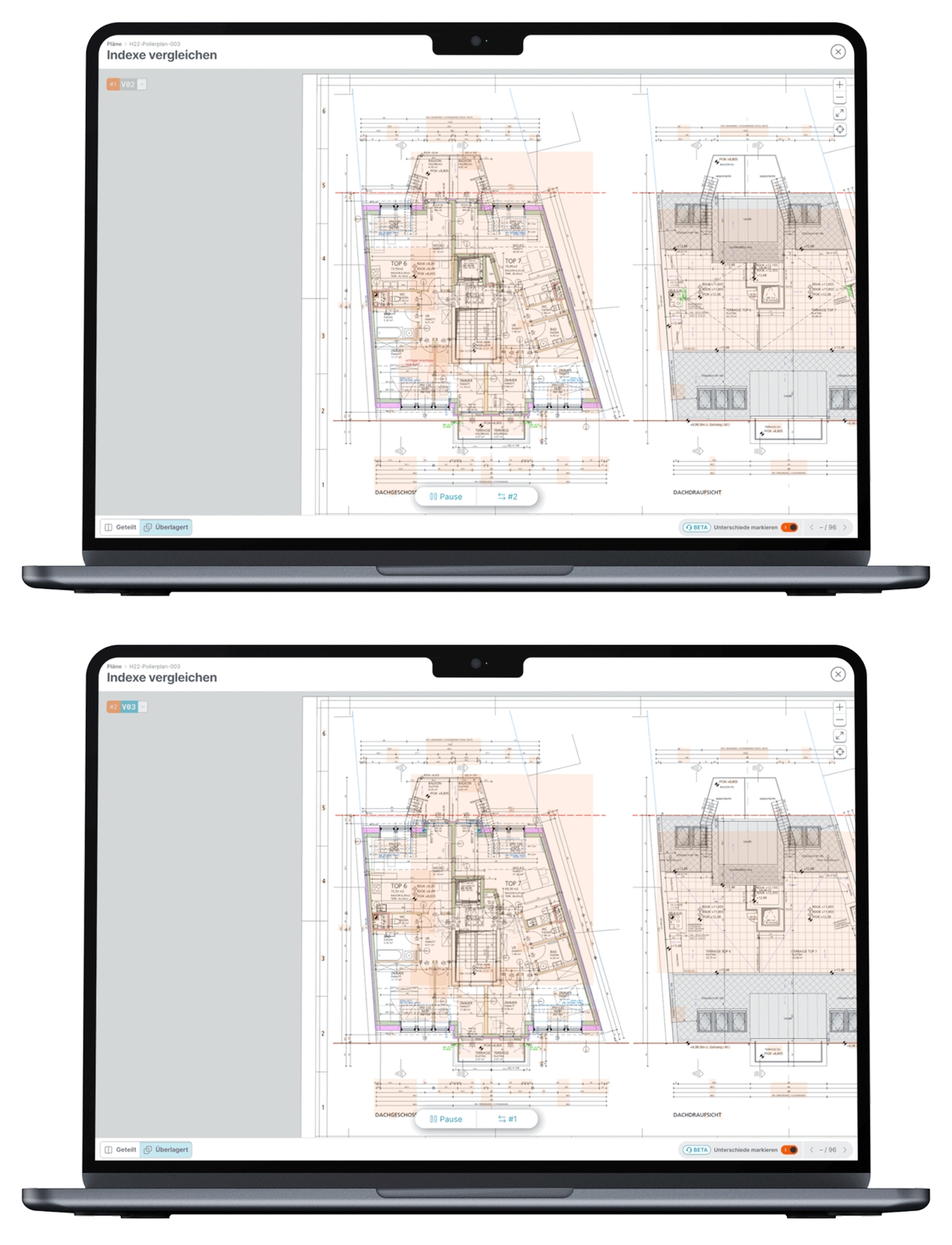
Until now, you laid the old and the new plan side by side and went through them line by line, or you relied on the plan author's revision clouds. That took time, and it also made mistakes more likely.
That's over now. In PLANFRED's plan comparison, you simply select two revisions and see every change at a glance:
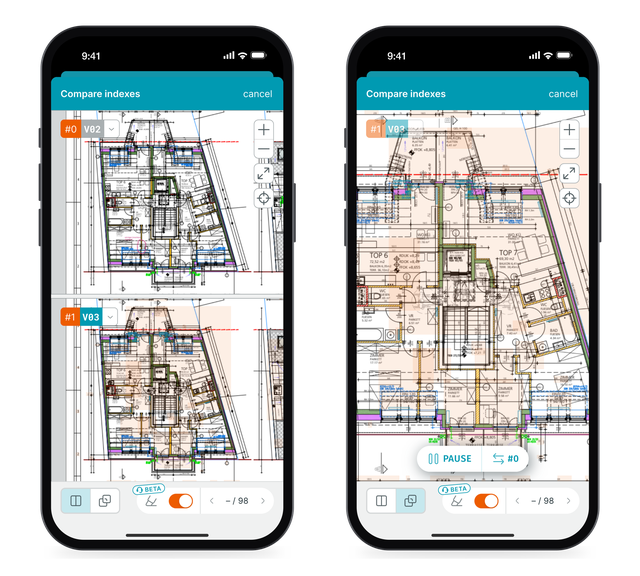
The orange markers highlight all areas that have changed. And the overlay view switches back and forth between the two revisions, so even small shifts become visible.
This saves time during plan review, reduces errors during construction, and makes it clear what is actually being approved with a new revision.
On site, on your phone too: In the PLANFRED app, you compare two revisions right on your smartphone – split or overlaid, with the same orange markers. It even works offline if both revisions were saved for offline use beforehand.
Plan comparison is available in all projects right now!